
Hiring a WordPress developer sounds simple until you’re faced with dozens of proposals, conflicting advice, and no clear way to tell who’s actually qualified.
We’ve seen many businesses waste time and money on the wrong hire, only to start the process all over again a few months later.
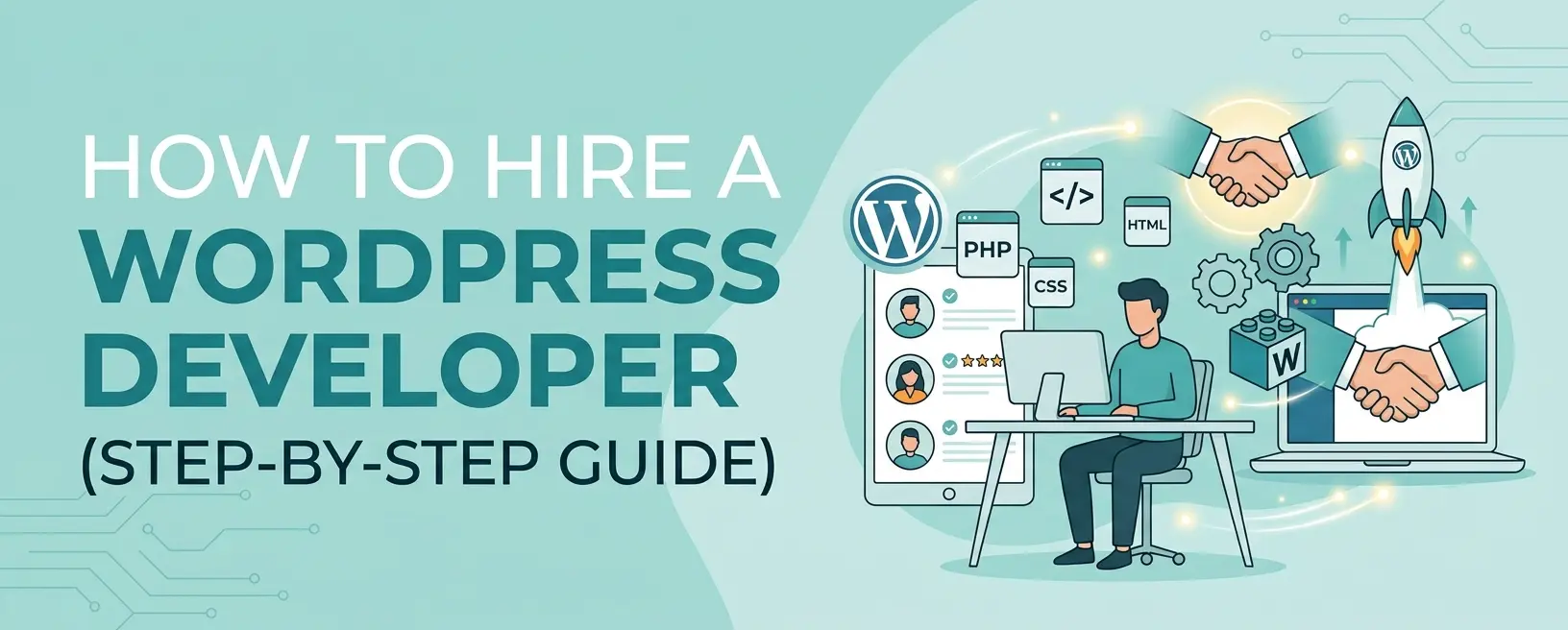
This guide walks you through exactly how to hire a WordPress developer, what to look for, what to avoid, and how to make the right choice the first time.
TL;DR: How To Hire A WordPress Developer
Short on time? These five principles separate smart hires from expensive mistakes.
- WordPress powers over 43% of all websites. The developer market is huge, and quality varies wildly.
- Define your project scope before you search. Vague briefs attract bad fits and inflated quotes.
- Choose the right hiring model. Freelancers handle small tasks; agencies suit complex builds; dedicated developers are best for businesses that need ongoing support.
- Vet beyond the portfolio. Communication habits and workflow discipline matter as much as technical skill.
- Always use a written contract. Every time. Without exception.
What Does a WordPress Developer Do?
A WordPress developer builds, customizes, and maintains websites on the WordPress platform at a code level. This is different from a WordPress user or page builder operator, who drags pre-built elements into place without writing code.
A real developer writes PHP, builds custom themes from scratch, creates plugins tailored to your business logic, integrates third-party APIs, and solves performance and security problems at the root. If your project needs any of those things, you need a developer, not a page builder subscription.
When Do You Actually Need a WordPress Developer?
Page builders like Elementor and Divi work fine for blogs, simple brochure sites, and early-stage projects. The moment you cross into any of the following territory, you need a developer.
- Your site is slow, and nothing seems to fix it. Performance problems almost always trace back to code, not content.
- You need a feature no plugin handles cleanly. Plugins solve other people’s problems. Custom functionality solves yours.
- You run a WooCommerce store with specific requirements. WooCommerce powers between 33% and 39% of all eCommerce stores worldwide. Most serious stores are not maintained with a page builder.
- Maintenance is eating your time. WordPress updates, plugin conflicts, security patches, and backups add up. A developer or retainer arrangement removes this permanently.
- You are scaling and need a technical partner. Growth introduces API integrations, third-party systems, performance under load, and security hardening, all of which require real expertise.
Freelancer vs Agency vs Dedicated Developer: Which Do You Need?
This decision shapes everything: cost, risk, timeline, and output quality. Here is the quick version before we go deeper.
| Category | Freelancer | Agency | Dedicated Developer |
| Cost | Lowest | Highest | Mid-range |
| Speed to start | Fast | Slower | Moderate |
| Reliability | Variable | High | High |
| Best for | Small tasks | Complex builds | Ongoing growth |
| Risk level | Higher | Lower | Low |
| Team backing | None | Full team | Team + single contact |
Freelancer
Best for short, clearly scoped tasks where budget is the primary constraint. A plugin fix, a design tweak, a single landing page. The risks are real: freelancers juggle multiple clients, have no team backup, and quality on general platforms varies enormously.
If you go freelance, use a vetted platform like Codeable or Toptal. You pay slightly more, but you skip the hours spent filtering unqualified candidates. Hourly rates range from $20 for entry-level work to $150 or more for senior specialists.
Agency
Best when you need a full team: design, development, project management, and QA under one roof. The tradeoff is cost, typically 50 to 100% higher than freelancer rates. For complex, business-critical builds, that premium is usually worth it. For simpler work, it often is not.
When evaluating agencies, pay close attention to communication during the sales process. That is exactly the communication you will get after signing.
Dedicated Developer
Best for growing businesses with ongoing development needs. You get a consistent point of contact who knows your site, your systems, and your goals. Behind them is a team providing quality assurance and backup, but you are not paying per-project agency overhead.
This is the model Webermelon is built around. If you need consistent WordPress support without hiring in-house, dedicated developers are worth exploring before you commit to either of the other options.
Step-by-Step Hiring Process
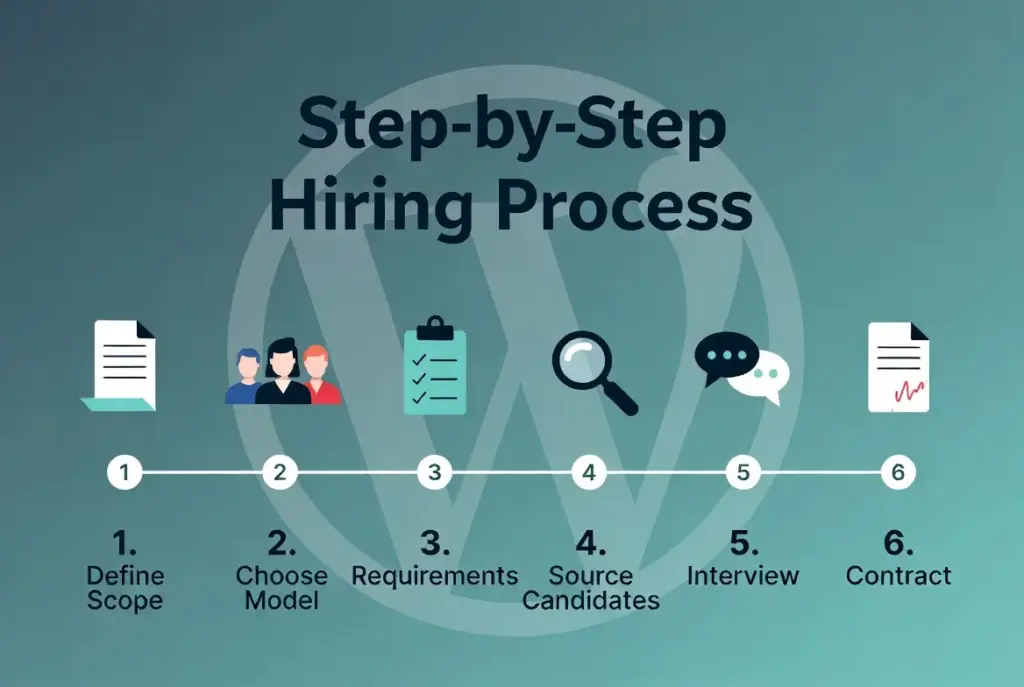
Step 1: Define Your Project Scope
The single most common reason hiring goes wrong: the business owner did not know what they needed before they started looking. Vague briefs attract developers who say yes to everything and figure it out later.
Before you post anywhere, write down answers to these questions.
- What type of project is this? New build, redesign, custom plugin, WooCommerce store, or ongoing maintenance?
- What is your realistic timeline, not your wish timeline?
- What is your budget range? You do not need an exact number, but a range prevents wasted conversations on both sides.
- Is this one-time or ongoing? This single answer changes your entire hiring approach.
Step 2: Choose Your Hiring Model
Covered above. Choose before you search so you are looking in the right places from the start.
Step 3: Build Your Requirements List
On the technical side:
PHP proficiency, WordPress core knowledge (hooks, filters, custom post types, REST API), theme and plugin development from scratch, and any platform-specific expertise like WooCommerce or ACF.
On the soft skills side:
Clear written communication, documentation habits, and a developer who pushes back on unrealistic timelines rather than just saying yes. These sound like nice-to-haves until you are three weeks into a project with someone who has disappeared.
Also write down your red flags upfront. No staging environment. Security answer is installing a plugin. No clear handover process. Knowing what to exclude saves you from interviewing the wrong people.
Step 4: Source and Shortlist Candidates
For freelancers:
Codeable (WordPress-specific, vetted) and Toptal (premium, rigorous screening) reduce filtering time significantly compared to general platforms like Upwork, where the quality floor is much lower.
For agencies and dedicated developers:
A direct search is usually more reliable than a platform. Look at live portfolio projects, not screenshots. Check case studies. Pay attention to communication speed and clarity during the initial conversation.
3. For longer-term hires:
LinkedIn works, but write a specific job post. Describe the project, the skills required, and the communication expectations. Generic posts attract generic applications.
Step 5: Interview and Vet Properly
A 15-minute call is not enough to evaluate someone you are about to hand your website to. A proper vetting process has three components.
- Technical screening: Ask about architecture decisions on past projects. Ask how they handle plugin conflicts. Ask what their deployment process looks like. Ask how they secure a WordPress site beyond plugin installs.
- Portfolio deep-dive: Run every live site through Google PageSpeed. Check Core Web Vitals scores. If they share GitHub repositories, check commit quality and documentation. Attractive designs built on slow, insecure code are common.
- A paid test task: Give a shortlisted developer a small, clearly scoped task and pay them fairly for it. You learn about code quality, communication, time estimation accuracy, and whether they ask clarifying questions or just guess. This step prevents enormous pain later.
Step 6: Contract and Onboard
Never start work without a written contract. A developer contract should cover: project scope and deliverables, milestone-based payment terms, IP ownership (you own the code, explicitly stated), NDA terms if relevant, revision and scope change process, code handover and documentation requirements, and post-launch support terms.
Milestone-based payments protect both parties. You pay when defined deliverables are met. The developer has a clear financial incentive to deliver each phase on time.
Before work begins, agree on communication channels and check-in frequency, confirm a staging environment is in place, and grant access only to what the developer actually needs.
What Skills Should a WordPress Developer Have?
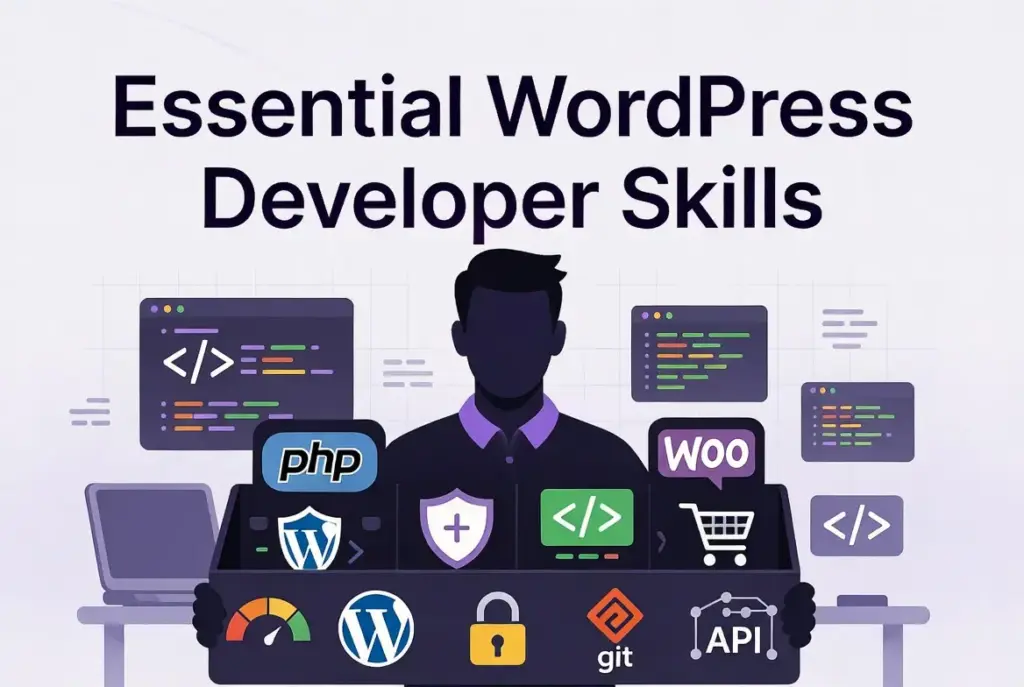
Non-Negotiable Technical Skills
PHP proficiency. WordPress is built on PHP. Surface-level PHP knowledge hits walls the moment a project needs real customization.
- HTML5, CSS3, and JavaScript. Table stakes. Any developer without solid command of all three is not a WordPress developer in any meaningful sense.
- WordPress core knowledge. Hooks, filters, custom post types, the REST API, and how the platform behaves under the hood.
- Custom theme development from scratch. There is a meaningful gap between modifying an Elementor template and building a theme from a blank slate. Know which one your project needs.
- Plugin development and customization. Someone who only installs plugins is not a developer.
- MySQL and basic database management. Performance and data-related problems almost always trace back here.
- Git and version control. Any professional developer uses Git. No version control means no ability to review changes, roll back mistakes, or collaborate safely.
Advanced Skills Worth Prioritizing
- WooCommerce development. If your project involves eCommerce, this is non-negotiable. WooCommerce has its own hooks, templates, and database structure.
- Performance optimization. Core Web Vitals affect SEO and user experience. Caching, CDN configuration, image optimization, and code efficiency all matter.
- Security hardening. Real security knowledge means input sanitization, nonces, escaping output, and user permission management. A developer whose entire security answer is installing a plugin does not understand security.
- Headless WordPress and REST API. For advanced builds or future-proofing, developers familiar with decoupled architecture add significant value.
Soft Skills That Separate Good from Great
- Clear written communication. For remote engagements, written communication is where projects succeed or fail. Vague updates are expensive.
- Documentation habits. A developer who documents their work is thinking about whoever comes next.
- Honest scoping. Great developers push back on unrealistic timelines. A developer who says yes to everything without asking questions either does not understand the work or does not plan to deliver it well.
- Proactive updates. Developers who disappear mid-project and only resurface when chased cause more damage than slightly weaker developers who communicate consistently. This is the most consistent complaint from business owners who have had bad experiences.
10 Interview Questions to Ask Before You Hire
These questions surface how a developer actually works, not just what they say about themselves.
- Can you show me similar projects you have built from scratch? Ask for live sites, not mockups. Run them through PageSpeed while you are talking.
- How do you handle scope changes mid-project? A good developer has a clear change-request workflow. A bad one agrees to everything or becomes difficult.
- What does your development workflow look like, from local to staging to live? Developers who skip staging environments are an accident waiting to happen on your production site.
- How do you approach WordPress security? Listen for input sanitization, output escaping, nonces, and an understanding of how vulnerabilities actually work, not just plugin names.
- Do you write documentation and hand over clean code? A question about professionalism and respect for whoever works on the project after them.
- What happens if something breaks after launch? Define post-launch support terms before they become a conflict.
- Are you available for ongoing support after the project ends? Relevant if your project is not a one-off.
- How do you communicate progress? What tools do you use? Misaligned communication expectations cause more project failures than technical problems do.
- Do you subcontract any work without informing clients? You need to know who is actually working on your site.
- What is your process for performance optimization? A developer with no clear answer will not deliver a fast site.
What Does It Cost to Hire a WordPress Developer in 2026?
| Developer Type | Hourly Rate | Best For |
| Entry-level freelancer | $20–$50/hr | Basic tasks, template installs |
| Mid-level freelancer | $50–$90/hr | Custom themes, plugin work |
| Senior / Agency developer | $90–$200+/hr | Complex builds, WooCommerce |
| Dedicated developer (retainer) | Mid-range flat | Ongoing growth & support |
Project-Based Cost Estimates
- Simple brochure site (5–10 pages): $2,000 to $5,000
- Medium website (10–25 pages): $5,000 to $15,000
- Custom WordPress build with specific functionality: $10,000 and up
- Basic WooCommerce store: $1,500 to $5,000
- Custom WooCommerce build with complex integrations: $8,000 to $45,000+
- Custom plugin development: $2,000 and up
- Ongoing maintenance retainer: $300 to $5,000 per month
The Real Cost of Going Cheap
This pattern plays out constantly. A business hires the cheapest developer available. The site technically works at launch. Three months later, there are security vulnerabilities, performance problems, and code that breaks whenever something new is added. A second developer comes in to fix the mess. The final cost is substantially higher than hiring a fair-priced developer from the start.
A senior developer who charges $150 per hour and finishes in 20 hours often costs less than a junior charging $30 per hour who takes 80 hours and introduces problems that require a third party to fix.
What We See After Working on 100+ WordPress Projects
These are patterns that appear repeatedly across the projects Webermelon handles. They are not theoretical.
Common Reasons to Replace a WordPress Developer
- Poor communication: Not technical failure. The developer stopped responding, gave vague updates, or disappeared for days at a time. This is the number one reason client relationships break down.
- No documentation: The departing developer left no record of what they built or why. The next developer has to reverse-engineer everything, which costs the client double.
- Plugin-heavy builds: It collapse under their own weight. One client came to us after paying for a WooCommerce build that loaded in 8 seconds. The cause: 42 active plugins, many doing overlapping things. Rebuilding the site with custom code instead of plugin stacks cut load time by over 70%.
What Separates Sites That Scale from Sites That Break
Sites built to scale have three things in common: a staging environment was used throughout development, the developer wrote custom code where plugins would have added bloat, and documentation exists so any competent developer can take over without a full briefing.
Sites that break under growth almost always lack at least two of these three things.
Red Flags to Watch For When Vetting Developers
- No portfolio or only template-based work. Template customization and custom development are different skills. If a developer cannot show a project built from scratch, you do not know what they can actually build.
- Cannot explain technical decisions in plain language. If they cannot tell you why they made a structural choice in terms you understand, they either do not know or are not confident in it.
- Promises an unrealistic timeline at a suspiciously low price. This is how underscoped, rushed projects begin.
- Refuses a fairly paid test task. A professional developer has no reason to object. Resistance here is a signal.
- No staging environment in their workflow. Deploying directly to a live site without staging is a risk every single time they make a change.
- Security answer is installing a plugin. Real security is built into code, not bolted on.
- Communication gaps during the vetting process. If they are slow or unclear when they are trying to win your business, it gets worse after the contract is signed.
- No clear code handover or documentation process. When the project ends, you need to hand the codebase to someone else. A developer who does not document creates dependency.
Common Hiring Mistakes That Cost Businesses Time and Money
1. Hiring Based on Price Alone
Price is one data point. It tells you nothing about code quality, communication habits, or what the project actually costs once scope creep, delays, and rework are factored in. Prioritizing cost over quality is consistently identified as one of the most frequent and costly hiring mistakes businesses make.
2. Skipping the Contract
A verbal agreement is not a contract. You should own the code your developer writes for you. Without explicit IP ownership in the written contract, you have a site you cannot freely hand to another developer.
3. Not Checking Portfolio Quality Below the Surface
Attractive design is not a proxy for code quality. Run every live portfolio site through Google PageSpeed before making any decision. A site that loads in 8 seconds and scores 40 on PageSpeed Mobile is a warning, not a reference.
4. Confusing WordPress Users with WordPress Developers
Someone who builds sites with Elementor is not the same as someone who writes custom PHP, builds plugins from scratch, or develops themes from a blank slate. Both skills have value in different contexts. They are not interchangeable. Hiring a page builder user for a custom development project is one of the most common and expensive category errors in this space.
5. Hiring for a One-Time Project When You Need Ongoing Support
A site built and handed over is not the end of the story. WordPress requires regular maintenance: core updates, plugin updates, security patches, backups, and occasional bug fixes. If your site is business-critical, you need a developer on retainer or a service that provides ongoing support. Walking away after launch creates a site that deteriorates.
Why Webermelon
Webermelon exists because most growing businesses need more reliability than a freelancer provides but do not need the overhead of a full enterprise agency on every project.
The dedicated developer model gives you a consistent point of contact who becomes familiar with your site, your systems, and your goals over time. Behind that developer is a full team covering design, development, and QA. You get agency-level depth without per-project overhead.
What the Process Looks Like
- Scoping conversation before any work begins.
- Staging environment on every project, without exception.
- Regular communication through agreed channels and check-in cadence.
- Clean code handover with documentation at project end.
- Post-launch support defined upfront, not negotiated under pressure.
Types of Projects We Handle
- Custom WordPress builds from scratch
- WooCommerce development, including complex stores and high-volume catalogs
- Plugin and theme development
- Performance and security work
- Ongoing retainer and support arrangements
WordPress Developer Hiring Checklist
Use this before you start any hiring process.
□ Project scope defined in writing
□ Budget range established
□ Hiring model chosen (freelancer, agency, or dedicated developer)
□ Technical requirements and must-haves listed
□ Red flags documented so you know what to rule out
□ At least three candidates shortlisted with portfolios reviewed
□ Live site performance checked via Google PageSpeed for each portfolio
□ Technical screening questions completed
□ Paid test task completed and evaluated
□ Contract drafted with IP ownership, milestones, and handover terms
□ Staging environment confirmed before work begins
□ Post-launch support terms agreed in writing
Frequently Asked Questions
1. What does a WordPress developer do?
A WordPress developer builds and customizes websites at a code level. This includes writing PHP, creating custom themes and plugins, integrating third-party APIs, and solving performance and security problems. It is distinct from using a page builder, which requires no coding knowledge.
2. How long does it take to hire a good WordPress developer?
On a vetted platform like Codeable, a developer can typically start within three to five business days once a statement of work is signed. Proper vetting, including a paid test task, takes one to two weeks. Rushing this process introduces the exact problems you were trying to avoid.
3. Should I hire a WordPress developer or use a website builder?
For personal sites or non-critical projects, a page builder works fine. For business-critical sites, eCommerce, custom functionality, or anything where performance and security matter, you need a developer. The question is not which is cheaper upfront. It is which costs less over two years.
4. How much does a freelance WordPress developer charge?
Entry-level freelancers typically charge $20 to $50 per hour. Mid-level developers charge $50 to $90 per hour. Senior specialists range from $90 to $200 or more. Geography is a significant factor.
5. Can I hire a WordPress developer for a single task?
Yes. Freelance platforms and vetted marketplaces handle this well. Define the task clearly, agree on a rate, and use a simple written agreement even for small work. Clarity prevents misunderstandings regardless of scope.
6. Is it safe to hire a WordPress developer from overseas?
Yes, with the right safeguards. A written contract, milestone-based payments, a staging environment, and clear communication expectations protect you regardless of geography. Many excellent developers work remotely from outside your home country.
7. Is WordPress still worth using in 2026?
Yes. WordPress powers 43.4% of all websites globally, and around 61% of websites using a known CMS. WooCommerce alone powers between a third and nearly 40% of all eCommerce stores worldwide. This is not a platform in decline.
8. How long does a WordPress website take to build?
A simple brochure site takes two to four weeks. A medium business site takes four to eight weeks. A custom build with complex functionality can take three to six months. These timelines assume a clearly defined brief. Vague scopes stretch every estimate.
A WordPress developer builds and customizes websites at a code level. This includes writing PHP, creating custom themes and plugins, integrating third-party APIs, and solving performance and security problems. It is distinct from using a page builder, which requires no coding knowledge.
On a vetted platform like Codeable, a developer can typically start within three to five business days once a statement of work is signed. Proper vetting, including a paid test task, takes one to two weeks. Rushing this process introduces the exact problems you were trying to avoid.
For personal sites or non-critical projects, a page builder works fine. For business-critical sites, eCommerce, custom functionality, or anything where performance and security matter, you need a developer. The question is not which is cheaper upfront. It is which costs less over two years.
Entry-level freelancers typically charge $20 to $50 per hour. Mid-level developers charge $50 to $90 per hour. Senior specialists range from $90 to $200 or more. Geography is a significant factor.
Yes. Freelance platforms and vetted marketplaces handle this well. Define the task clearly, agree on a rate, and use a simple written agreement even for small work. Clarity prevents misunderstandings regardless of scope.
Yes, with the right safeguards. A written contract, milestone-based payments, a staging environment, and clear communication expectations protect you regardless of geography. Many excellent developers work remotely from outside your home country.
Yes. WordPress powers 43.4% of all websites globally, and around 61% of websites using a known CMS. WooCommerce alone powers between a third and nearly 40% of all eCommerce stores worldwide. This is not a platform in decline.
A simple brochure site takes two to four weeks. A medium business site takes four to eight weeks. A custom build with complex functionality can take three to six months. These timelines assume a clearly defined brief. Vague scopes stretch every estimate.
Final Thoughts
The developer you choose shapes how your site performs, how it scales, how secure it is, and how much it costs to maintain over the next two to three years. The steps in this guide take longer than posting a job and picking whoever responds fastest. That time investment consistently pays for itself.
Define your scope. Choose the right model. Vet properly. Use a written contract. And if you want a team that already has this process built in, talk to Webermelon.